R
Replywise
Free Starter Kit

A calmer inbox starts with one simple routine — not more automation

The free AI Inbox Reset Kit is a practical first step for people who want help with email while keeping control of every reply.

Get My Free Inbox Reset Kit

For busy professionals and small-business owners tired of sorting and rewriting routine emails.
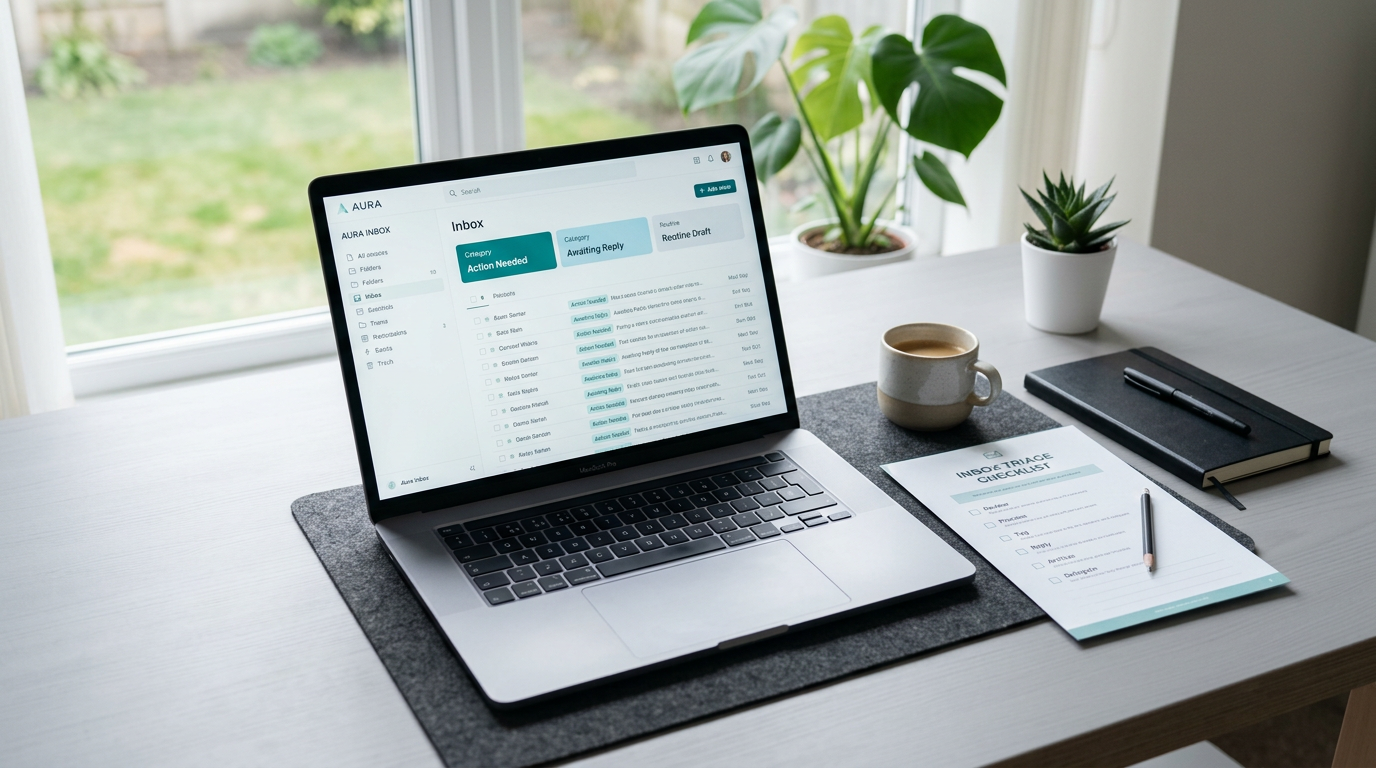
Preview of the Replywise AI Inbox Reset Kit on a laptop with a printed triage worksheet

Built for modern workflows & trusted alongside teams using

Apex Productivity Apex Productivity
Flowstate Tools Flowstate Tools
FocusLab Workflows FocusLab Workflows

It's not just the number of emails. It's deciding what to do with each one.

Name the repeated decisions that make email feel draining before introducing a more repeatable approach.

Sorting messages and judging priority compete for attention.

Routine replies can still leave you staring at a blank page.

A crowded inbox feels harder when every message starts from scratch.

Sort first. Draft second. Decide what gets sent.

Replace the false choice between doing everything manually and trusting AI blindly with a simple, human-led routine.

  • Use a clear triage step to identify action and priority.
  • Let AI help summarize messages or start routine drafts.
  • Review tone and accuracy yourself before sending.
AI drafting prompts and editable reply templates

Four practical tools to make your next inbox session easier

Make the free download tangible by tying each included item to a familiar email task.

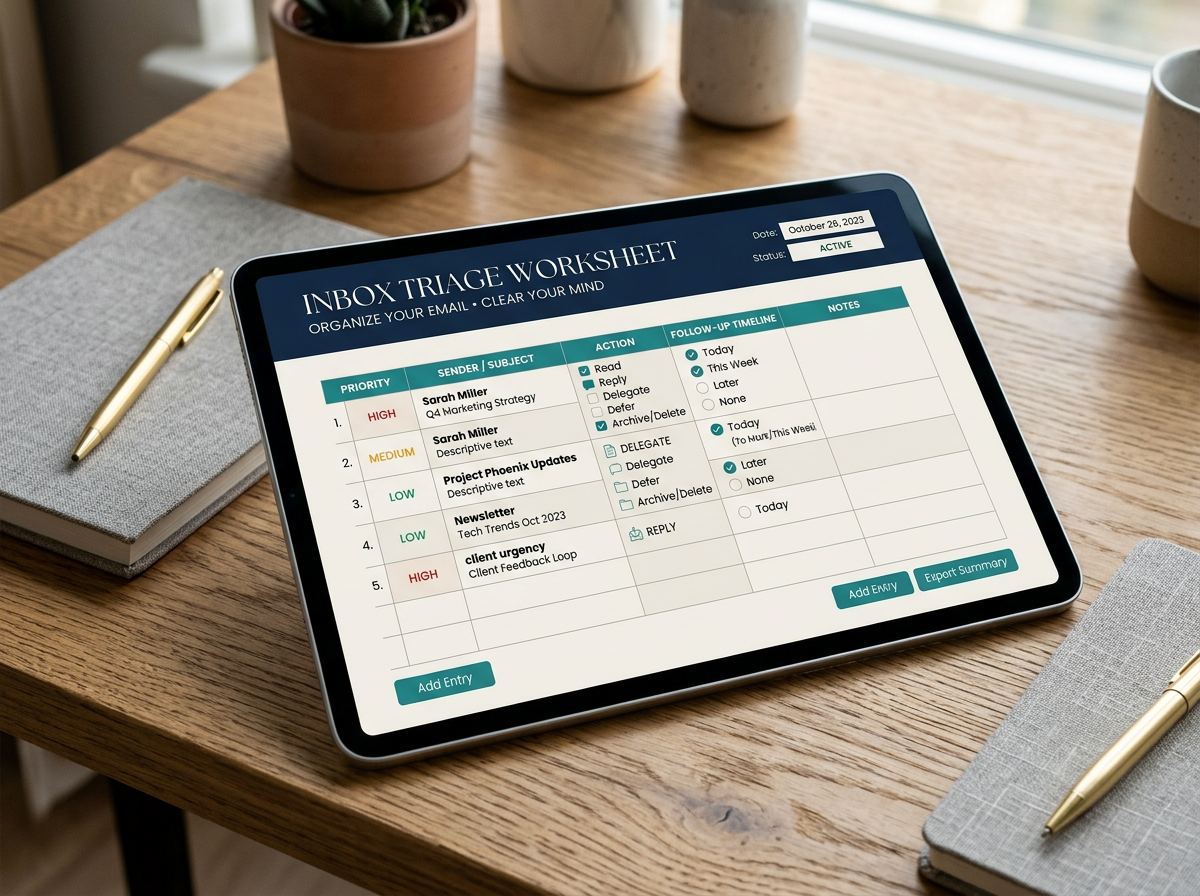
Inbox triage worksheet

Sort messages by action and priority.

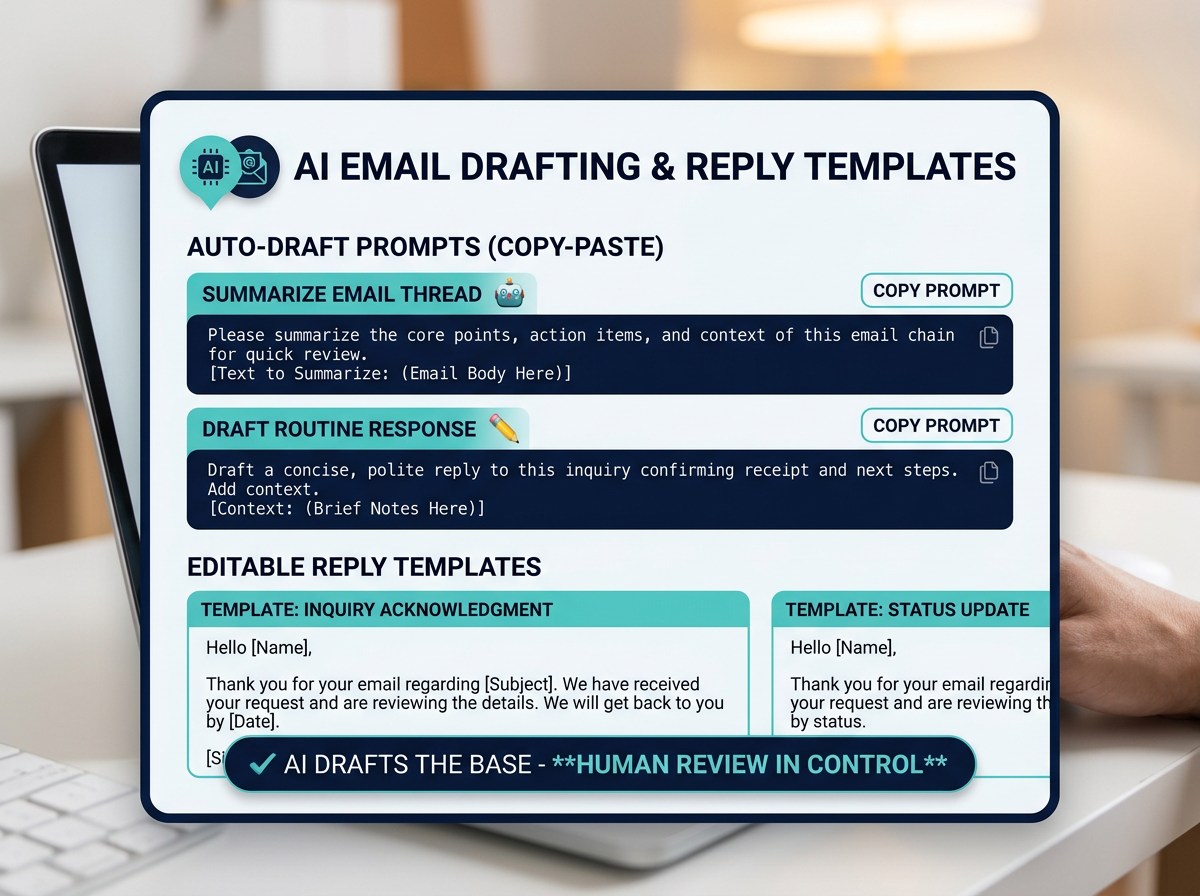
Reusable AI prompts

For summarizing and drafting replies.

Editable reply templates

For common email situations.

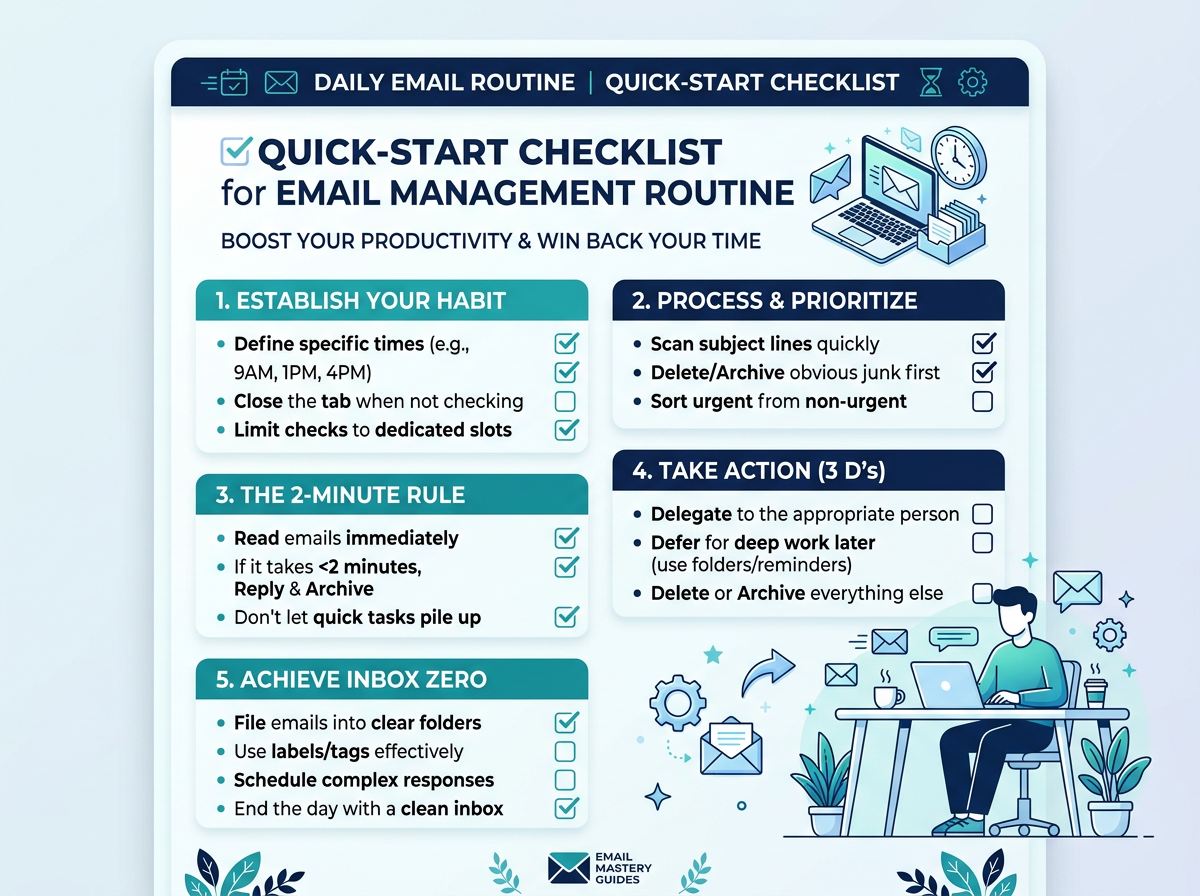
Quick-start checklist

For putting the routine into practice.

Inbox triage worksheet mockup Quick-start checklist mockup

Use the kit with the email setup you already have

Reduce fears of a major workflow change by seeing how the downloadable materials fit into an existing inbox routine.

1

Start by sorting incoming messages with the worksheet.

2

Use the prompts and templates with an AI tool of your choice.

3

Edit and verify every draft before sending.

4

Follow the checklist to make the steps repeatable.

Calm, organized inbox routine in use

Spend less energy deciding — and more attention on the replies that matter

Connect the small daily routine to a more manageable inbox, without promising a zero-inbox result or a guaranteed time saving.

  • Spend less time figuring out which messages need attention.
  • Get a starting point for everyday replies instead of a blank page.
  • Build consistency while preserving your own voice and judgment.

A useful first step, without changing how you send email

Resolve remaining hesitation with plain answers about setup, effort, and the terms of the free download.

Will this work with my existing email setup?

No particular email provider or new inbox setup is required to use the kit's materials.

Will AI-written replies sound impersonal or inaccurate?

AI-generated text remains a draft to check for tone and accuracy — you review and edit before anything is sent.

Will learning a new routine take more time than it saves?

The checklist is designed to help you start with a small routine, not a complete overhaul.

Is the kit actually free, or is it a disguised sales pitch?

The kit is a free digital download after submitting the opt-in form.

Make your next inbox session feel less like starting over

Get the triage worksheet, prompts, templates, and quick-start checklist together. Submit the form to access the free digital download — use what helps, and review every reply before it goes out.

  • Inbox triage worksheet
  • Reusable AI prompts
  • Editable reply templates
  • Quick-start checklist
Free Download

Get the AI Inbox Reset Kit

Submit your details and the kit is yours — free, instantly.

Free digital download. Use the prompts and templates with an AI tool of your choice, and review drafts before sending.